產品

Phone Lock / OFF+ 1.8.31 beta release now

  • Yes, support status bar QS tile icon, you can lock screen anywhere now !
  • Support fingerprint unlock immediately !
  • Fixed some fingerprint device unexceptional crash issue
  • Fixed screen brightness goes to lowest setting when adaptive display is on issue
  • You can also change go to Settings - Security & location - Screen lock (Gear icon) - Automatically lock - Immediately to enhance your phone security
  • Add required write settings permission dialog when first time to launch

Phone Lock / OFF+ 1.8.32 beta release now

  • Support volume control widget on QS tile area that not only lock screen but also control your sound volume anywhere now !
  • Support fingerprint unlock immediately !
  • Fixed some fingerprint device unexceptional crash issue
  • You can also change go to Settings – Security & location – Screen lock (Gear icon) – Automatically lock – Immediately to enhance your phone security

OFF

Google Play (Android 5.x, 4.x) : Get it on Google Play Part of users found most of the Android 6.0 users can not work properly, we try to investigate the API call issue now Protect your power button, reduce power button usage and extend your life of button If your phone hasn’t built-in the double click to lock or without software screen lock button or support the leather cover lock that your should consider this app This app will not occupation the RAM resource and background CPU power of your phone that will auto self-exit and release all of your precious resources and the most important thing – it is AD-free! The best thing is that is open source which means the app is not only safety but also protect your privacy and open Important App was not marked as Device Administrator. Please check Security settings You have to [Settings]->[Security]->[Device administrators] to enable OFF If you wish to remove this App that requires disabling OFF from Device administrators first GitHub: https://github.com/stanwu/us.stanwu.screenoff Get it on Google Play

OFF+ (Nexus Imprint support)

Google Play Beta: Get it on Google Play Protecting the Power Button of mobile phones from intensive use by reducing the frequency of pressing physical button. If your phone doesn’t have the double click lock built-in soft screen lock button or the leather cover lock, then you may consider using this App Please try our OFF App, if you don’t need Nexus Imprint (Fingerprint) unlock 2016/10/03 FIXED: Auto remove OFF+ app from overview screen after hardware screen lock is activated. Special thanks to 謝立達 who reports the issue This App is focused on the solution of Nexus Imprint (HTC 10 or most of the fingerprint unlock) issues, it is unlikely our previous version used a screen lock mechanism which will cause fingerprint unlock fail. OFF+ is a 10 secs soft screen lock, it tries to disable all touch and button keys events and turns off the backlight then wait for 10 secs until hardware lock is activated, it will exit automatically and release all pre-occupied RAM and CPU resources. Please don’t forget to rate and give your valuable comments. Your satisfaction is important to us, this encourage us to work harder and better. Improvement suggestions are most welcome, let us know what you need and we will provide updates as and when ready. :-D Screen Shot 2016-09-06 at 16.24.43

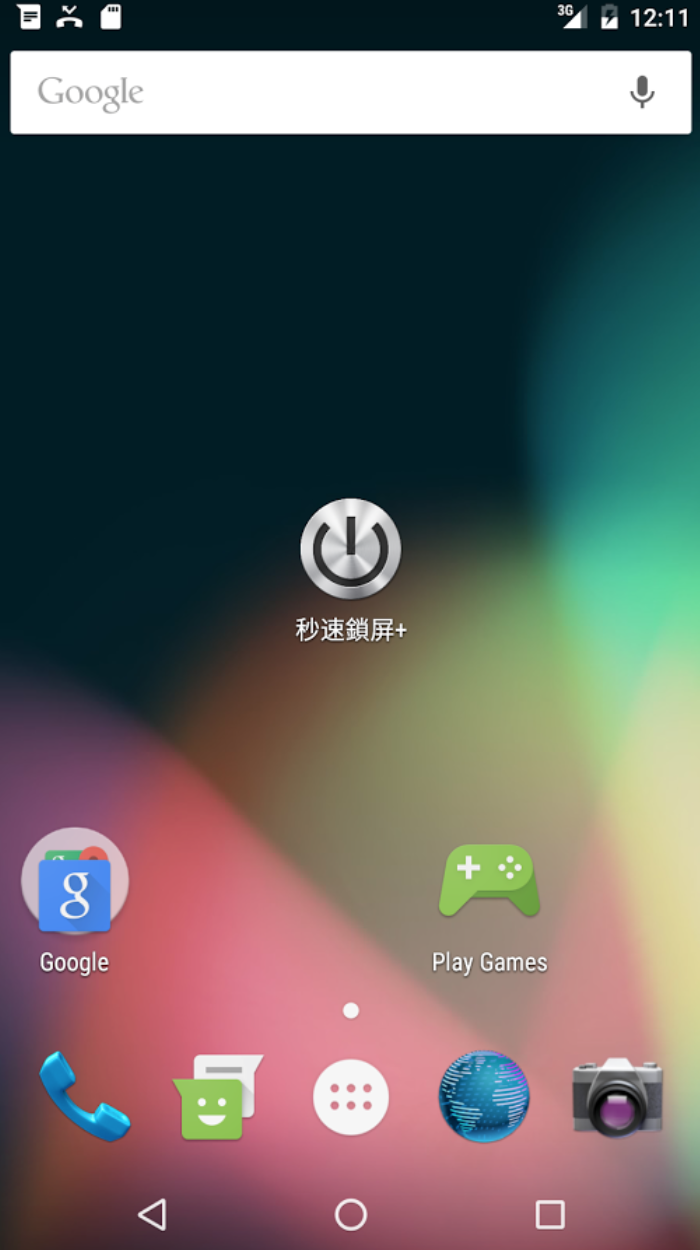
秒速鎖屏+ (Nexus Imprint 支援)

Google Play 下載安裝 : Get it on Google Play 這個 App 是針對 HTC 10 或是類似的指紋解鎖的手機所特別設計的, 跟原先的 秒速鎖屏 是完全不一樣的設計架構, 秒速鎖屏+ (Nexus Imprint 支援)本身設計是一個 15 秒的螢幕鎖定程式, 執行之後會盡量嘗試關閉您的螢幕電源跟調整背光亮度到全暗, 同時阻斷螢幕觸控跟按鍵功能, 讓手機運作電力降到最低, 等 15 秒後手機系統的螢幕鎖定啟動之後, 就會自動結束退出, 完全不費浪費您手機寶貴的記憶體跟電池電力 Screen Shot 2016-09-06 at 16.24.43 2016/11/20 由於 Android 6.0 之後對手機系統安全要求全面提升, 舊版的鎖屏 App 大多會取得裝置管理員的最高存取權限, 這代表著對指紋辨識裝置會有極高的安全風險問題, 因此 6.0 以上的系統在解鎖的時候如果偵測到有第三方App具有裝置管理員權限, 就會禁止使用指紋裝置(安全考量), 改用傳統的方式解鎖, 所以當您覺得很麻煩的時候, 表示您的手機很安全 T_T 這個 App 採用折衷的設計方式, 用混合的方式設計(更多標準API呼叫), 以確保符合 6.0 以上的系統安全原則, 但是相對的缺點是對大部分手機無法立即秒鎖(註1), 因為這個 App 是透過訊息傳遞給系統去控制硬體, 而不是由 App 自己直接去控制硬體(註2), 因為每支手機的系統廠商調校都不太一樣, 所以秒鎖的時間也會都不一樣, 10秒是 Nexus Android 6.0 的標準值 :P 也是因為以上安全性的考量, 本商店另外一款傳統鎖屏方式的App「秒速鎖屏」最後決定採用開放原始碼的原因也是在這邊, 這樣才有辦法保證所有裝置存取權限的運作過程是透明公開且安全的 註1 : 有的大大透過系統的設定配置, 可以做到秒鎖實在太厲害了 註2 : 您可以想像: 手機就是汽車, 您就是系統, 第三方App就是陌生人, 之前的設計是您直接把汽車直接交給陌生人開, 以前車可以可直接熄火, 現在安卓 6.0 的設計是變成您來開汽車, 陌生人所有要求的動作都需要經過您來決定開車的方式, 您可能考慮到其他因素所以延遲一下熄火的時間 下載安裝前您必須先了解的常見問題 : Q: 為什麼沒辦法用 一按進去就跳出黑色的畫面,沒辦法開 A: 因為直接就鎖屏了, 這個App很節省資源, 不需要任何使用者介面 T_T Q: 能不能縮短10秒時間? A: 因為App是呼叫標準的系統API 傳遞給手機系統其實為立刻鎖屏命令, 但是因為手機系統差異的關係, 每個系統動作的時間都不太一樣, 標準 Nexus 的 Android 6.0 回應為 10 秒鐘, 但是也有神等級的「天雲風」大大就是有辦法弄到 秒鎖 (請參考下方評論), 需要經過自己對手機系統本身設定調校 Q: 三星(Samsung)系列手機或平板安裝完後, 兩秒就關屏, 這樣怎麼使用手機 A: 這個問題之前S7使用者有反映過, 在某一些條件下新安裝或者是重新安裝App 會有這個奇怪的情況, 請協助到設定中的螢幕自動關閉時間調整回自己的時間(例如30秒), 這樣就可以正常使用了 Q: 若使用了秒速鎖屏關上螢幕,手機的螢幕休眠手勢功能就會沒反應,無法使用 A: 對於某些手勢解鎖的手機(如OPPO R9s), 軟體鎖定期間前十秒, App會取消所有的面板觸控功能, 請使用 音量[+] 解鎖) 2016/09/26 有網友反應解鎖後還會留在背景, 剛剛測試看起來是不會, 還希望有人可以幫忙看看能不能重現問題之所在 ^^ (影片有字幕, 請打開 YouTube 字幕選項) 2016/09/16 修正螢幕旋轉解鎖問題, 感謝 阿古多 大大的提醒, 我居然忽略了這麼旋轉螢幕這麼重要的問題 T_T 經過測試, 將鎖定時間縮短為 10 秒, 感謝 楊宗憲 的建議, 新增前五次使用提示說明(前十秒按 音量[+] 解鎖), 將程式碼最佳化, 將提示訊息改為中文 2016/09/10 mobile01的 Jacob-mms 大大的建議, ,移除原本鎖定前15秒內的快點兩下解鎖功能 暫時改為按下音量[+]解鎖 如果鎖定時候還看得到背光, 目前這個版本是正常的, 螢幕亮度理論上已經被調整為零了 App 爭取在15秒內盡量節省用電, 缺點還是會有微弱的背光 這個 App 本身是一個 10 秒的螢幕鎖定程式, 會盡量嘗試關閉您的螢幕電源(有些手機的背光電源無法關閉)跟亮度調整到全暗, 並阻斷螢幕觸控跟按鍵功能, 讓手機運作電力降到最低, 等 10 秒後手機系統的螢幕鎖定啟動之後, 就會自動結束退出, 完全不費浪費您手機寶貴的記憶體跟電池電力 為什麼想設計這款 App 呢? 因為之前上架『秒速鎖屏』想說只是為了方便親朋好友使用下載安裝, 沒有特別注意 App 的安裝者有誰, 上架大概三個月過去之後, 上個月忽然接到一封電子郵件, 問有關『秒速鎖屏』不能用在有指紋解鎖的手機上面, 因為手上沒有類似的機器, 也沒辦法馬上解決 可是就在最近這一個月安裝者忽然暴增, 問指紋機的人也越來越多了, 所以就花了一些時間 Google 一下, 發現這個問題已經出現很久了, 原因是出現在 lockNow(); 這個呼叫需要 USES_POLICY_FORCE_LOCK 這個 Admin 的權限, 而新版本的 Android 針對此權限做出新的安全限制, 導致後面的問題發生, 其實個人是非常贊同 Google 新的安全作法, 增強 Android 手機的安全性比增強新功能還要重要, 所以就產生了『秒速鎖屏+』這個設計, 設計原則是絕對不能使用 root 的方法, 也不能用很奇怪的手段解決 , 最後是參考了網路上大家的討論, 就著手把程式碼開發出來了 Google Play 直接下載安裝 : Get it on Google Play

秒速鎖屏

Google Play 直接安裝(Android 5.x, 4.x) : Get it on Google Play 最近很多的使用者回報在他們的手機上面無法正確的運作, 經過Play Console上面顯示很多的 Android 6.0 的手機很容易有問題, 所以開始著手調查 6.0 的 API 呼叫是否有變動?
關於 htc 10 的指紋解鎖問題, 大概也有一個大方向的拼圖. ..2016/09/03 關於 htc 10 無法指紋解鎖問題, 目前為已知問題
請參考 Reddit 這一篇文章有討論到
有部分付費的App可以做到, 不過相信是使用系統漏洞的方法處理, 當然以長遠的角度來看, 直接指紋解鎖跳過電源按鈕且不需要密碼是很有效率的使用模式, 所以盡量以合理的方式來解決指紋直接解鎖這個方向前進 這是解決方法之一, 不過需要 root 權限, 所以暫時不考慮